
Home / Control panel
Your email, in view and under control
The PostCleaner panel shows you how much spam and how many viruses we've stopped, lets you release a good email with one click and tells you what happened to each message. No manuals, no complications.

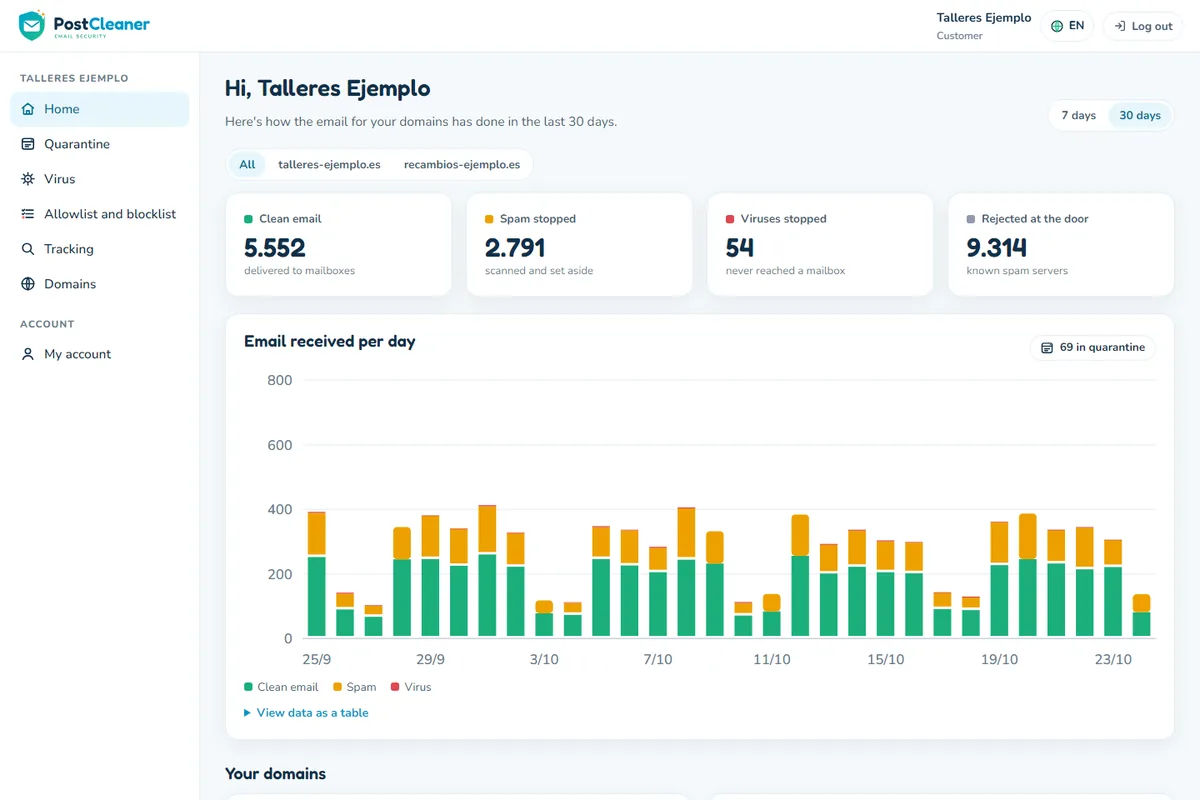
What's happening with your email, at a glance
When you log in you see cards with the figures for today, the last 7 days and the last month. And below, a chart for each domain of your company.
- Clean email, spam and viruses day by day, each in its own color so you can tell them apart instantly.
- One domain or all of them: if you have several, see them separately or together.
- Top spam senders: you know who keeps trying the hardest.
- How many messages are in quarantine waiting for your review.
Clear charts
To see in one glance whether spam is going up or down.
Viruses stopped
What the threat was and which mailbox it was aimed at.
One click to decide, no doubts
Doubtful email isn't deleted: it's kept for 14 days. Go through the list, view the message safely and choose what to do.
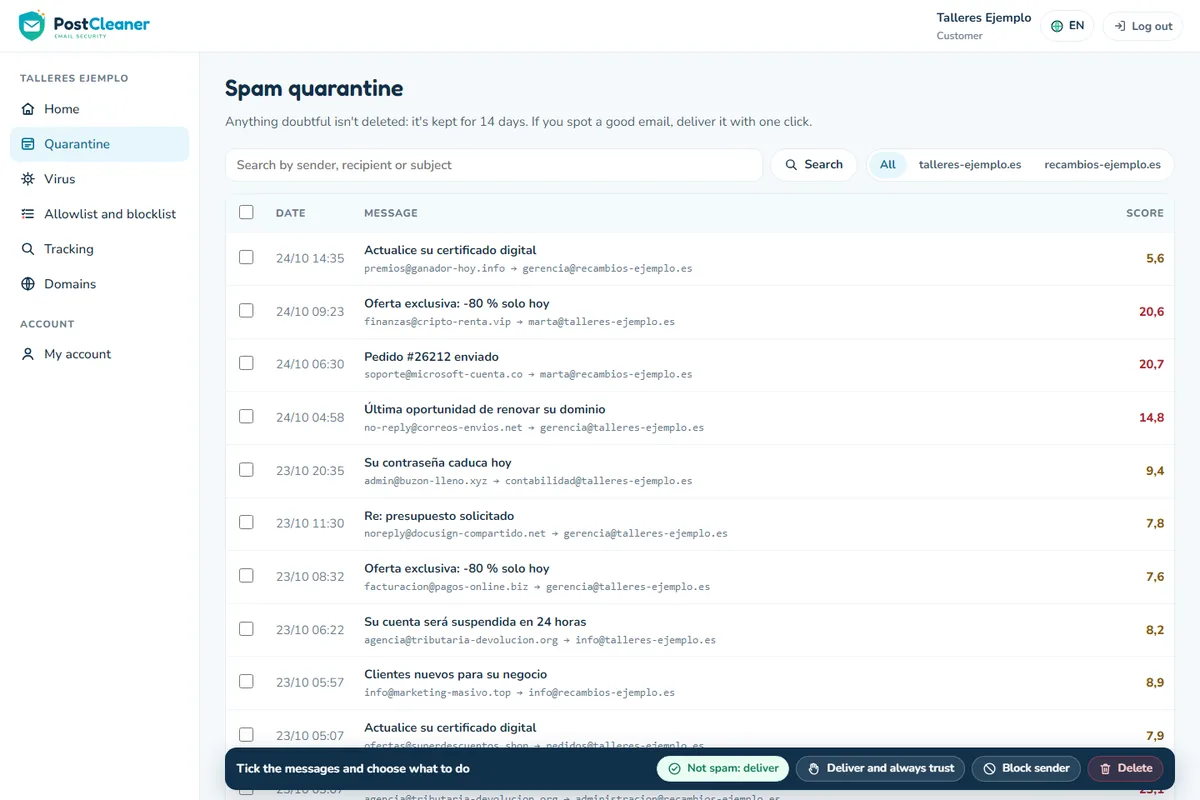
Deliver
Was it a good email? It's delivered to its mailbox right away.
Always trust
Delivers the message and never holds back that sender again.
Delete
Out with what you don't want. You can delete one at a time or several at once.
Block
So that sender never bothers you again.
With search by date, sender, recipient or subject, and a safe preview so you don't open anything dangerous.
Everything you need to keep your email under control
Allowlist and blocklist
Decide who you trust and who you don't want to read, for a whole domain or just one mailbox.
Message tracking
"Did my customer's email arrive?" You check it instantly: when it arrived and what was decided about it.
Daily report
Every user gets a summary of what was held back, with links to release a message without logging in to the panel.
Status of your domains
Check that the MX record is pointed correctly and copy the DNS instructions with one click.
In 8 languages
Everyone uses the panel in their own language. Ideal for teams and companies with employees from several countries.
For everyone, made to measure
Each person sees only what concerns them. See below who sees what.
Your panel, well protected
An email security panel has to be secure itself. That's why we protect the login with several measures.
- Two-factor (2FA): besides your password, a code from your phone.
- Captcha with no third parties: we check that you're a person without sending your data to Google or anyone else.
- Attempt limit: anyone guessing passwords gets locked out.
- Action log: there is a record of what's done in the panel.
Who sees what
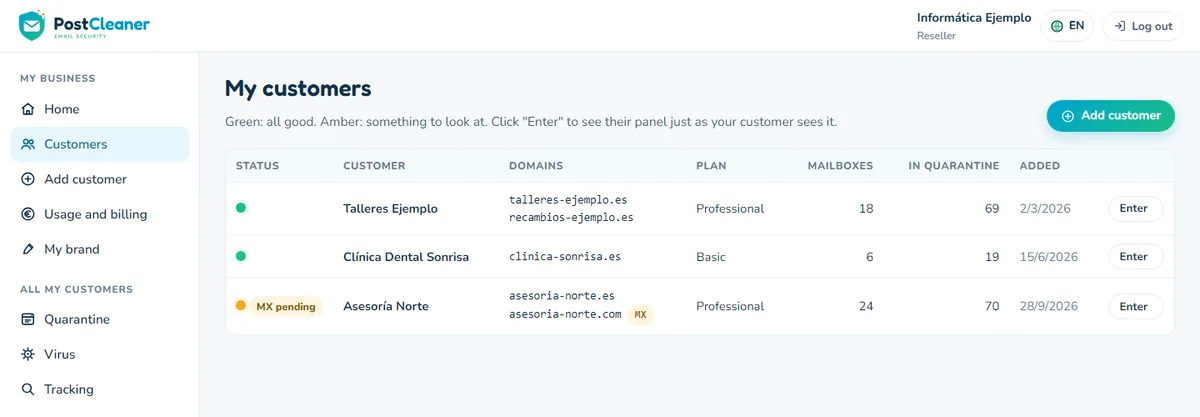
Reseller: their customers and all their domains.
Customer: only their own domains.
Mailbox user: only their personal quarantine.
An AI that reviews doubtful email and explains why
We're preparing an artificial intelligence review for messages that aren't clear-cut. Next to each one you'll see its verdict and the explanation, for example "bank impersonation" or "legitimate newsletter". It will learn from what you mark as "not spam".
AI review
It isn't active yet. We'll let you know when it arrives.
Give your email security a clear panel
The panel is included in all plans. Tell us about your case and we'll show it to you.
I want to see it in action